For independent restaurants

Every dish,
transparent
in seconds.

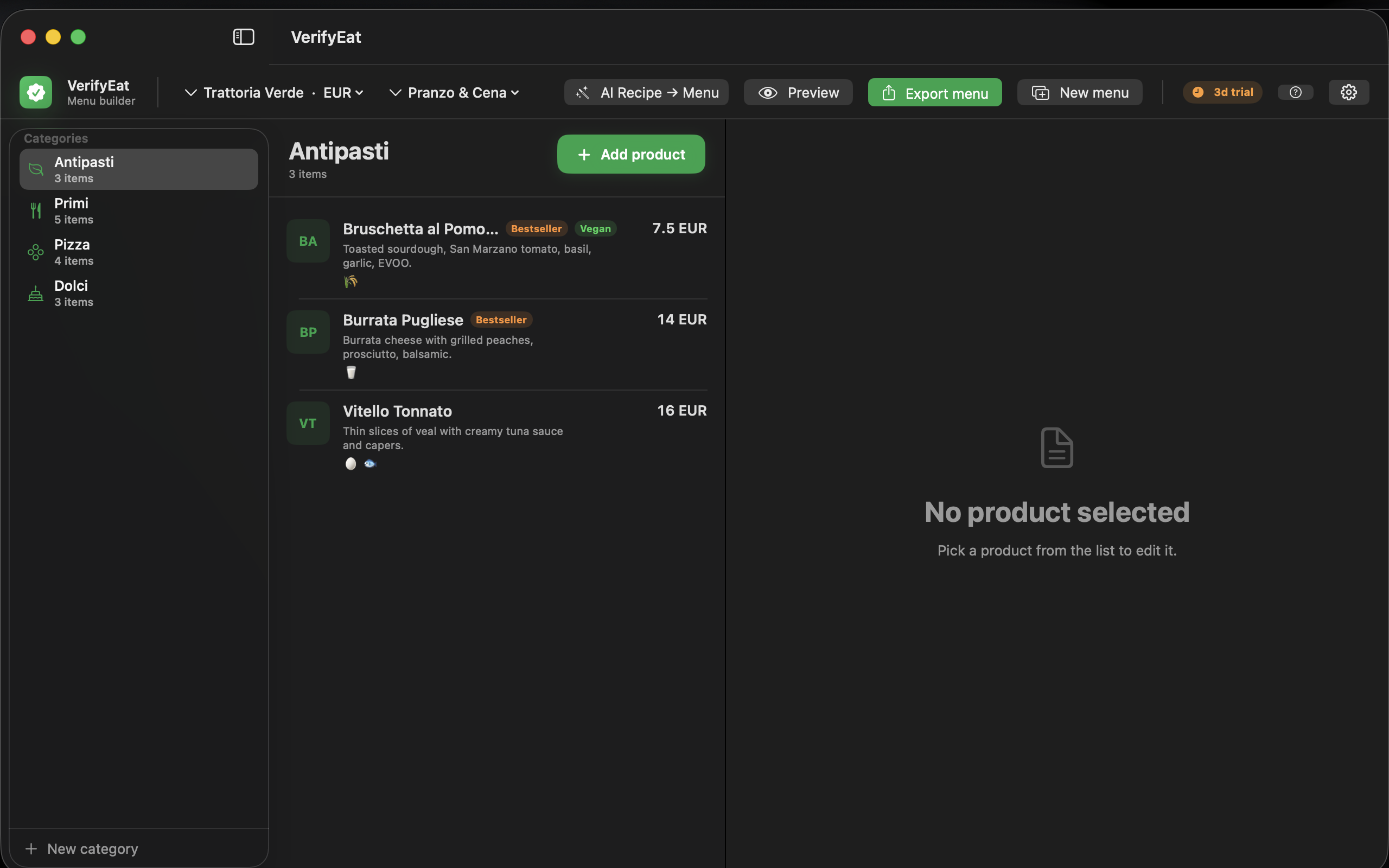
VerifyEat is a native Mac app that turns your menu into beautiful QR product pages — with ingredients, allergens, and instant translations. No website rebuild. No subscriptions for your customers.

  • 3-day free trial
  • Local-first · your data stays on your Mac
  • 6 languages with AI translation
Live preview

This is what your customers see when they scan.

No app download, no signup. They scan the QR, the page opens in their browser, and they get the full picture — translated to their language, with allergens called out and ingredients laid out clearly.

9:41
Golden Garden Wrap 12.90 CHF
VEGETARIAN NEW
Allergens
Sesame Soy
Ingredients
Garden greens, chickpea cream, roasted vegetables, fresh herbs, house sesame sauce.
Nutrition · 540 kcal
Ingredient weights
VerifyEat
Built for restaurants

Six things that make a difference at the table.

Allergens that update everywhere

Tag once. Every QR page reflects it instantly — no more printing stickers or rebuilding PDFs.

AI translation in 6 languages

Romanian, English, German, French, Italian, Spanish — review and ship without a translator on retainer.

Ingredient weights that add up

Enter grams per ingredient; the total weight is calculated for you. Macros optional, kcal automatic.

Owner-controlled visibility

Decide what is public per location: price, calories, allergens, nutrition, weights. Hide what you don't want public yet.

QR codes & HTML export

Print QR codes for tables. Export the entire menu as static HTML to drop into your existing website.

Live preview on the kitchen iPad

Spin up a private LAN server and have the chef preview every change on a phone or iPad in real time.

Workflow

From kitchen idea to QR code in under a minute.

  1. 01

    Add the dish

    Photo, name, price, ingredients, allergens. Drag a photo from Finder or paste from clipboard.

  2. 02

    Pick what's public

    Toggle visibility for price, calories, macros, gram weights, and the public language list.

  3. 03

    Translate & review

    Tap Translate. Review the AI suggestions. Accept what's good, edit what isn't.

  4. 04

    Print the QR

    Generate a QR card per dish or one per table. Print, stick, done.

Pricing

Simple plans. Cancel anytime.

Every plan includes the full Mac app. Hosted public pages will be released as a separate add-on later this year.

Trial

3 days

No credit card required

  • Full access to every feature
  • Up to 5 products to test
  • All available menu languages
  • QR & HTML export
Start free trial

Pro

29.90 CHF / month

Multi-location & large menus

  • Multiple restaurants & locations
  • Higher AI translation limits
  • Advanced branding controls
  • Priority email support
Choose Pro
Hosted Pages add-on — coming soon For restaurants that don't want to host the HTML themselves. Planned at 12.90 CHF / month per restaurant with fair-use limits.
Learn more →
FAQ

Honest answers, before you commit.

Does the QR code work on iPhone, Android, and old phones?

Yes. The QR contains a normal HTTPS URL — every modern smartphone with a built-in QR reader (which is every smartphone made in the last six years) opens the page directly in the browser. No app to download.

Where is my menu data stored?

On your Mac, in the Application Support folder. Nothing is sent to a server unless you explicitly export. AI translations go to Anthropic with your own API key — VerifyEat itself never receives your menu.

Who is responsible for ingredient and allergen accuracy?

The restaurant. VerifyEat is a presentation tool — every dish, ingredient, allergen and nutrition value is provided and maintained by you, just like a printed menu.

Do I need a website to use VerifyEat?

Not for the trial. To make QR codes that customers can scan in the dining room, you need somewhere to host the HTML — your existing website, a free Cloudflare Pages site, or wait for the upcoming Hosted Pages add-on.

Can I switch languages on the public page?

Yes. You choose which languages are public per location. Customers tap a flag to switch instantly. AI handles the first draft, you keep editorial control.

What happens after the trial ends?

The app stays installed and your data is preserved. You'll see a subscription screen when you next open it. You can also export your menu as JSON anytime — your data is never locked in.

Try it for three days. No card required.

VerifyEat runs on macOS 14 or newer. Apple Silicon and Intel both supported.

Built and supported by Catalin Ionut Portan, indie developer, Switzerland.